Storykit only guarantees full functionality for the latest version of Chrome. If you have issues with Storykit it can be caused by your settings in Chrome.
Check that you have the latest version of Chrome and clear cache
First of all, you should always check that you have the latest version of Chrome, and clear your cache.
To do that follow the steps below.
- Type chrome://settings/ in your URL or click on the three dots in the upper right corner of your chrome window and choose settings.
- In the left menu at the bottom, click "about Chrome", where you can see what version of Chrome you have and if it needs to be updated.
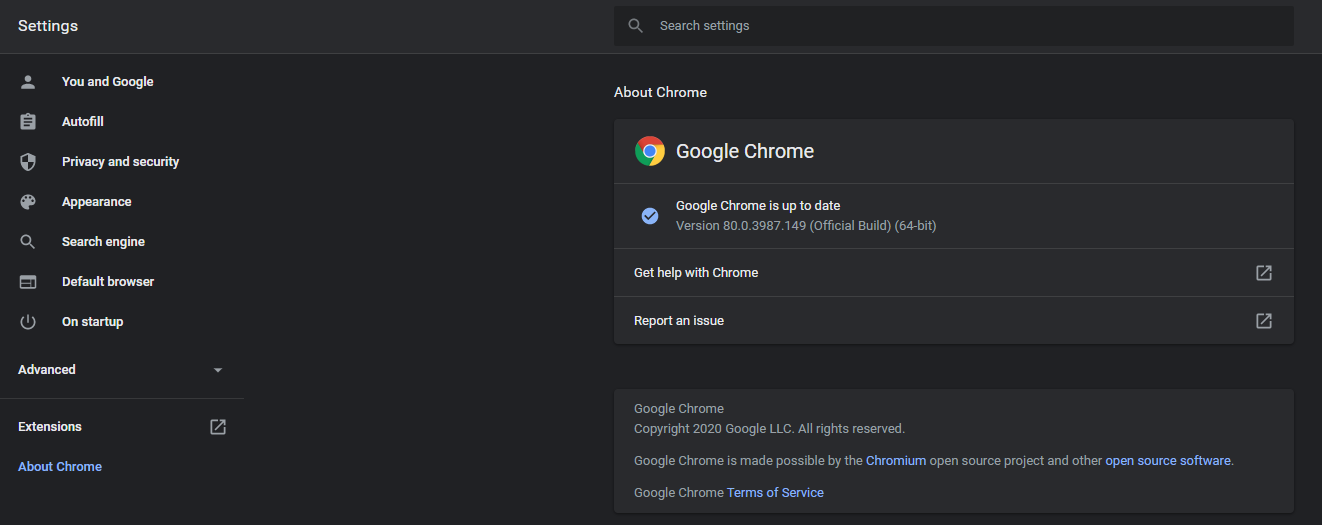
(In this case, the latest version of chrome is being used, so there's nothing to update)
To clear your cache you can either click “ctrl” and “f5” at the same time or follow the steps below.
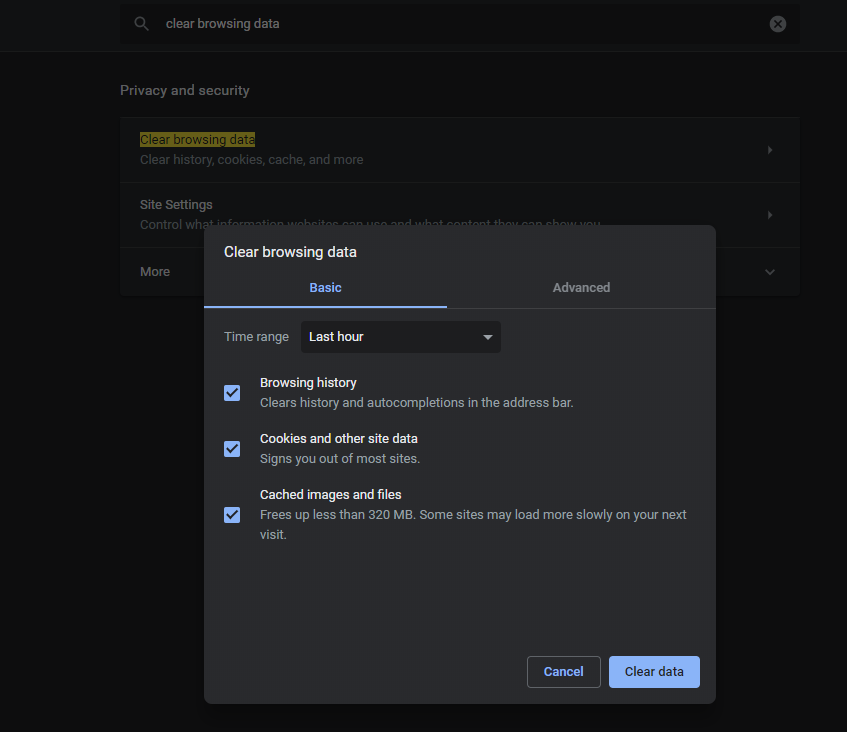
3. Enter "clear browsing data" in the search box to clear the Cache.
4. Select the time interval.
5. Then click “clear data”.